Reputation
ProblemFor many local buyers, the Google Business Profile is the first trust check. FixPair this with Foundation System if reviews and credibility are the biggest gaps.
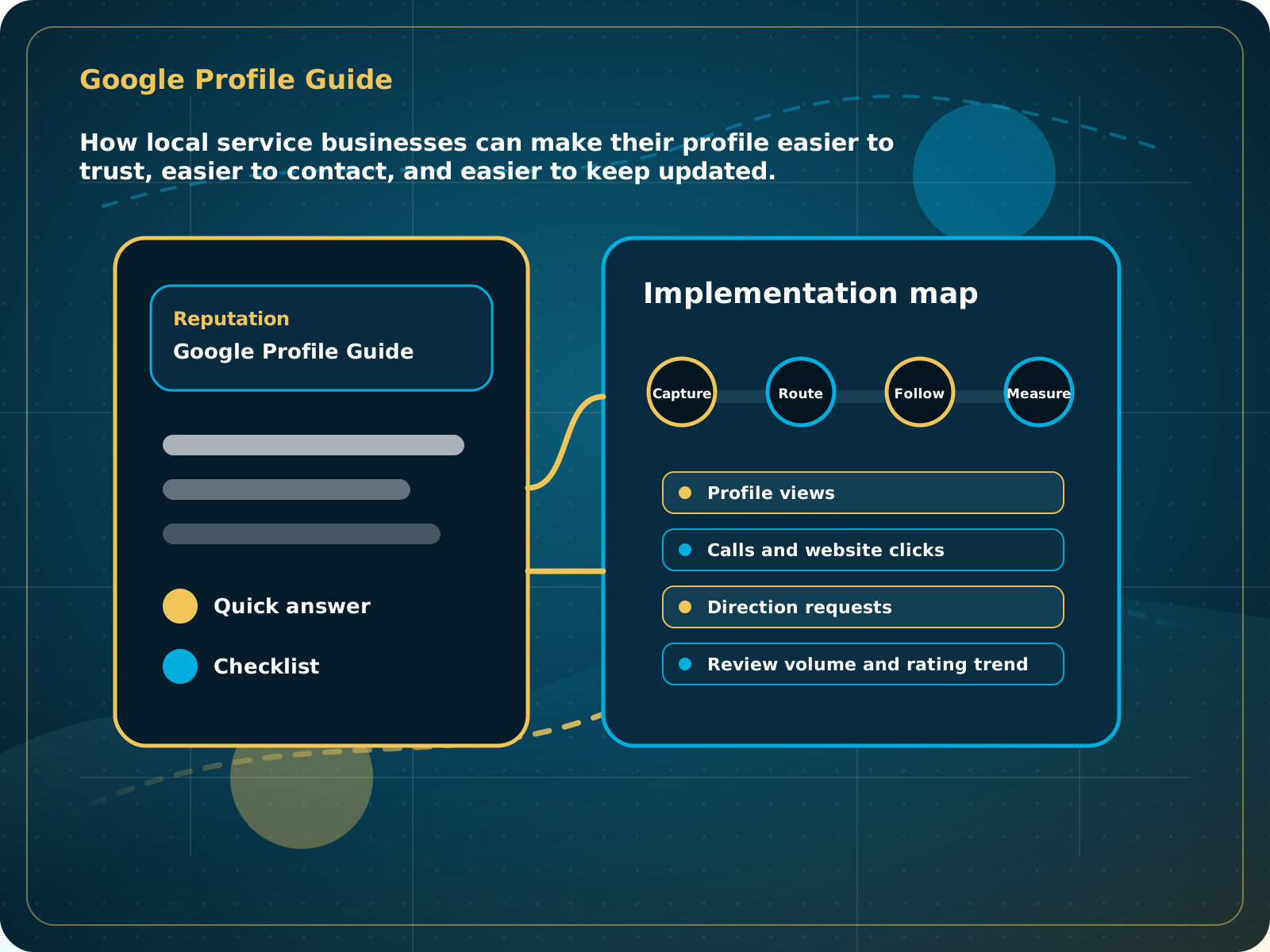
Google Profile Guide
How local service businesses can make their profile easier to trust, easier to contact, and easier to keep updated.
Leads capturedConnected
AI responseConnected
Reviews requestedConnected
Follow-up sentConnected
Google Business Profile Guide
The profile clearly explains the service, shows recent proof, routes buyers to a strong website or booking path, and supports review growth every month.
Implementation blueprint
1Customer action 2CRM capture 3Follow-up 4Owner visibility
Turn the guide into a working business process.
Your Google Business Profile should make it easy for a buyer to trust you, understand what you do, contact you, and see recent proof that the business is active.
Make the next step obvious.
Store the signal where the team can work it.
Send, assign, or remind the next action.
Measure whether the process is working.
How local service businesses can make their profile easier to trust, easier to contact, and easier to keep updated.
Quick answer: Your Google Business Profile should make it easy for a buyer to trust you, understand what you do, contact you, and see recent proof that the business is active.
What to know first
For many local buyers, the Google Business Profile is the first trust check. If the profile looks stale, thin, or inconsistent, prospects may never reach the website.
The goal is not to add another disconnected tool. The goal is to make the business easier to run. A strong process captures the lead or customer signal, stores it where the team can see it, triggers the right next step, and creates a clear outcome.
Implementation checklist
- Confirm name, category, service area, hours, phone, and website
- Add services with clear descriptions
- Add real photos from recent jobs
- Post updates and useful service notes
- Connect review requests to your follow-up process
How to put this into a real system
Start by deciding what the customer should do next. That may be calling, filling out a form, booking, leaving a review, replying to a message, or referring someone. Then make sure that action lands in a place the business can actually manage.
For a local service business, the best version of this process usually has four parts: a simple customer-facing action, a CRM record, an automated or assigned follow-up step, and a visible outcome the owner can review later.
| Layer | What should happen | Why it matters |
|---|---|---|
| Customer action | The next step is obvious and easy to complete. | Friction kills otherwise good opportunities. |
| CRM capture | The action creates or updates a contact, opportunity, task, or conversation. | The team can see what happened and who owns it. |
| Follow-up | The system sends, assigns, or reminds the next step. | Speed and consistency improve without adding more pressure. |
| Review | The owner can see activity, gaps, and outcomes. | Improvement becomes practical instead of theoretical. |
Common mistakes to avoid
- Using the wrong primary category
- Letting photos and posts go stale
- Linking to a weak homepage with no clear lead path
- Ignoring questions, messages, and review replies
What to measure
- Profile views
- Calls and website clicks
- Direction requests
- Review volume and rating trend
- Recent photo and post activity
When this is working
The profile clearly explains the service, shows recent proof, routes buyers to a strong website or booking path, and supports review growth every month.
How Lead Media Solutions connects this
Foundation System helps with the review and social proof layer. Business Essentials connects profile traffic to CRM forms, calls, conversations, and follow-up.
Lead Media Solutions turns this from a one-off task into part of the operating system. The right setup can connect the action to the CRM, trigger follow-up, support reviews, route conversations, and give the team a clearer view of what needs attention.
Best next step
Pair this with Foundation System if reviews and credibility are the biggest gaps.
Related starting points
Choose the offer by the actual problem.
AI Receptionist
The business has a response-speed problem.
Test the AIFoundation System
The business has a trust and social proof problem.
Start Foundation SystemBusiness Essentials
The business needs the core operating system.
See Business EssentialsBusiness Essentials
Start with the 15+ page CRM-connected website inside Business Essentials.
Build the Core SystemGuide FAQ
Answer-focused summary.
What is the main point of the Google Business Profile Guide?
Your Google Business Profile should make it easy for a buyer to trust you, understand what you do, contact you, and see recent proof that the business is active.
Should I use this before buying software?
Yes. Use the guide to understand the gap, then choose the simplest offer that fixes it.
Can Lead Media Solutions help implement this?
Yes. The relevant LMS offer can connect this process into reviews, AI, CRM, website, follow-up, or reporting.